Groups Overview
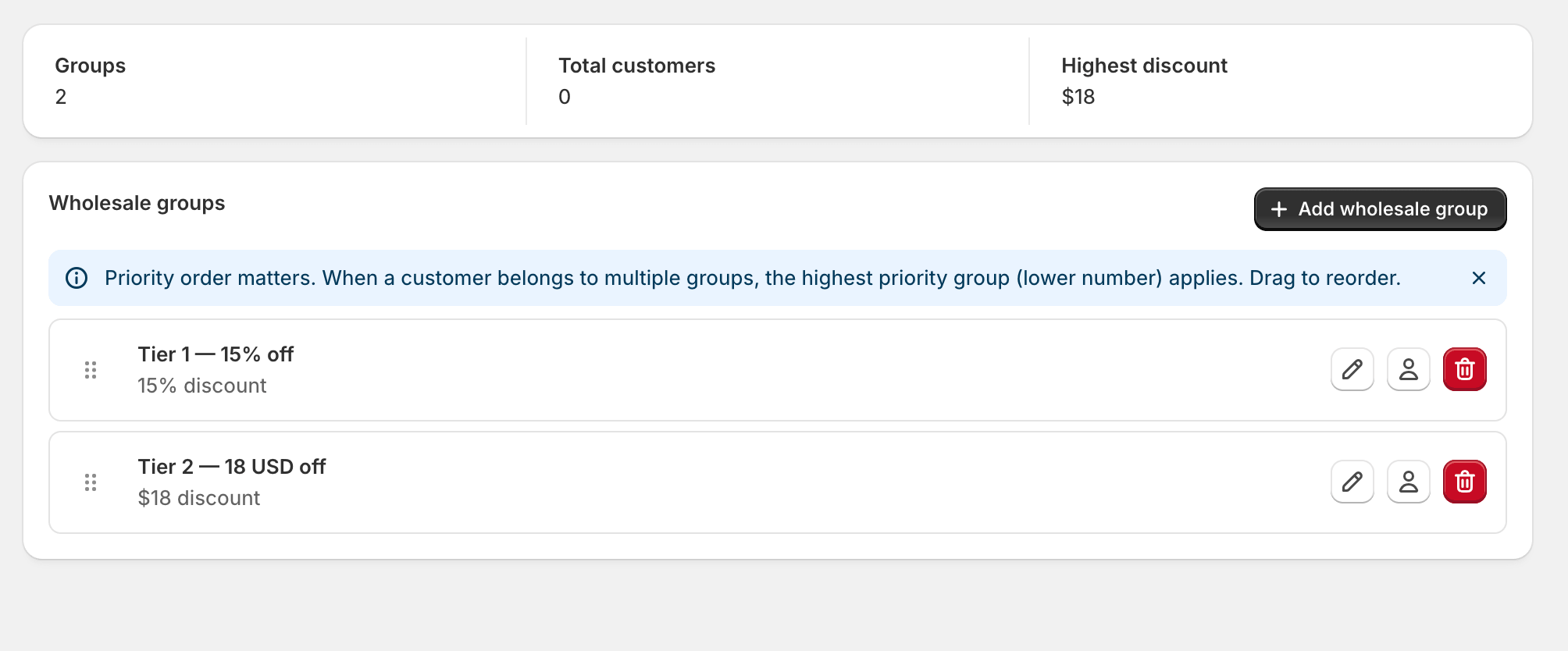
A wholesale group is the central concept in Wholesale B2B Suite. Every customer who gets wholesale pricing belongs to exactly one group, and every price rule is attached to exactly one group. If you think of groups as the spine of your wholesale program, the rest of the app makes a lot more sense.
What a group is
Section titled “What a group is”A group is four things in a trench coat:
- A name and slug — Tier 1 — 15% off becomes the slug
tier-1-15-off. - A baseline discount — either a flat percentage or a fixed-price override that applies to every product in your catalog.
- A priority order — when a customer somehow ends up in two groups, the higher-priority group wins. (We try hard to prevent this, but it can happen via manual tagging in Shopify.)
- An auto-tag — usually
wholesale-<slug>. This is the Shopify customer tag that gates the discount at checkout.
Groups vs. customer tags
Section titled “Groups vs. customer tags”This is the part that catches people out, so it’s worth being explicit.
When you add a customer to a group, the app writes a Shopify customer tag
of the form wholesale-<slug> onto that customer. That tag is what
applies the discount at checkout. The group settings live in the app;
the tag lives in Shopify, and Shopify is what the checkout sees.
The practical implications:
- The tag is the source of truth at checkout. If a customer has the tag, they get the price. If they don’t, they don’t.
- Removing a customer from a group removes the tag. This usually takes effect within seconds.
- Manually adding the tag in Shopify also works, but the app won’t know about that customer until you also add them in Customers. Always prefer adding through the app.
Picking a group strategy
Section titled “Picking a group strategy”Most stores end up with one of three patterns:
- One catch-all group. Everyone wholesale gets the same discount. Easy to manage; less flexibility.
- Tiered groups. Tier 1 = 10%, Tier 2 = 15%, Tier 3 = 20%, etc. You promote customers between tiers as they spend more.
- Per-segment groups. Distributors get one set of prices, retailers another, brand reps another, with very different per-product rules.
You can mix any of these — the app doesn’t impose a structure. Start simple and add groups as the need shows up.
What’s in this section
Section titled “What’s in this section”- Create Your First Group — step-by-step setup.
- Manage Customers — add, move, and remove buyers.
For prices that vary by product, see Price Rules. For quantity-break pricing, see Volume Pricing.